
Using labels in the VCV Manager email inbox
The VCV Manager email inbox receives various messages:
- IONOS Support Team messages,
- IONOS invoices, every month for the use of the website
- VCV members,
- ad-hoc enquiries from outsiders,
- form messages from the Contact Us page.
It is a good idea to delete old messages occasionally. To help you find any type of message, Gmail lets you apply a label to each message.

For example, you can apply a label of "Invoice" (or "Payment") to each emailed invoice as it arrives. Right-click the email, select "Label As", select a label such as "Payments" (or "Invoice" or whatever), then click "Apply".
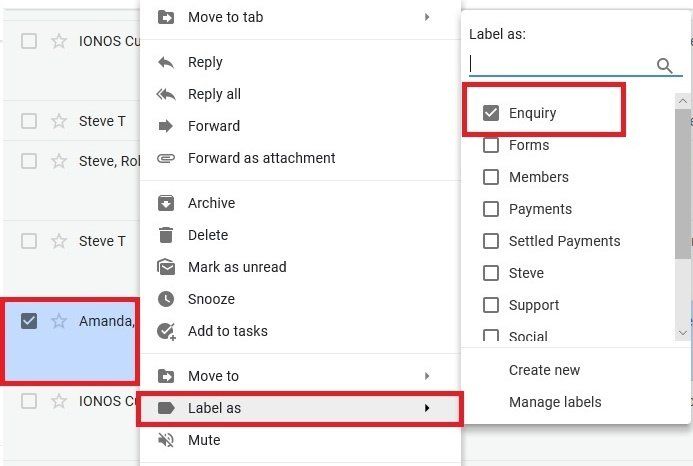
Later, when you want to sort out our payments, you can quickly display only those emails. In the left column, click on "Payments" (or "Invoice" or "Enquiry" or whatever).

Notice too that you can easily change the name of a label, say from "Invoice" to "Payment Demand" etc.